Two websites can have the same number of pages and need very different foundations. One publishes information and collects inquiries. The other must update availability, route leads between branches, and exchange data with business systems. Their layouts may look similar; the work behind them is different.
A website builder suits requirements already covered by a managed platform. WordPress offers a flexible foundation for publishing and extensions. Custom development becomes relevant when essential workflows need architecture or functionality that available platforms cannot support cleanly.
Choosing between a website builder, WordPress, and custom development starts with those requirements.
Lucidly’s Web Development Services in the UAE connect that choice with content planning, integrations, user journeys, and ongoing support.
This guide explains the trade-offs and how to test them before committing.
Quick Answer
Use the following checks to narrow your shortlist before comparing individual features.
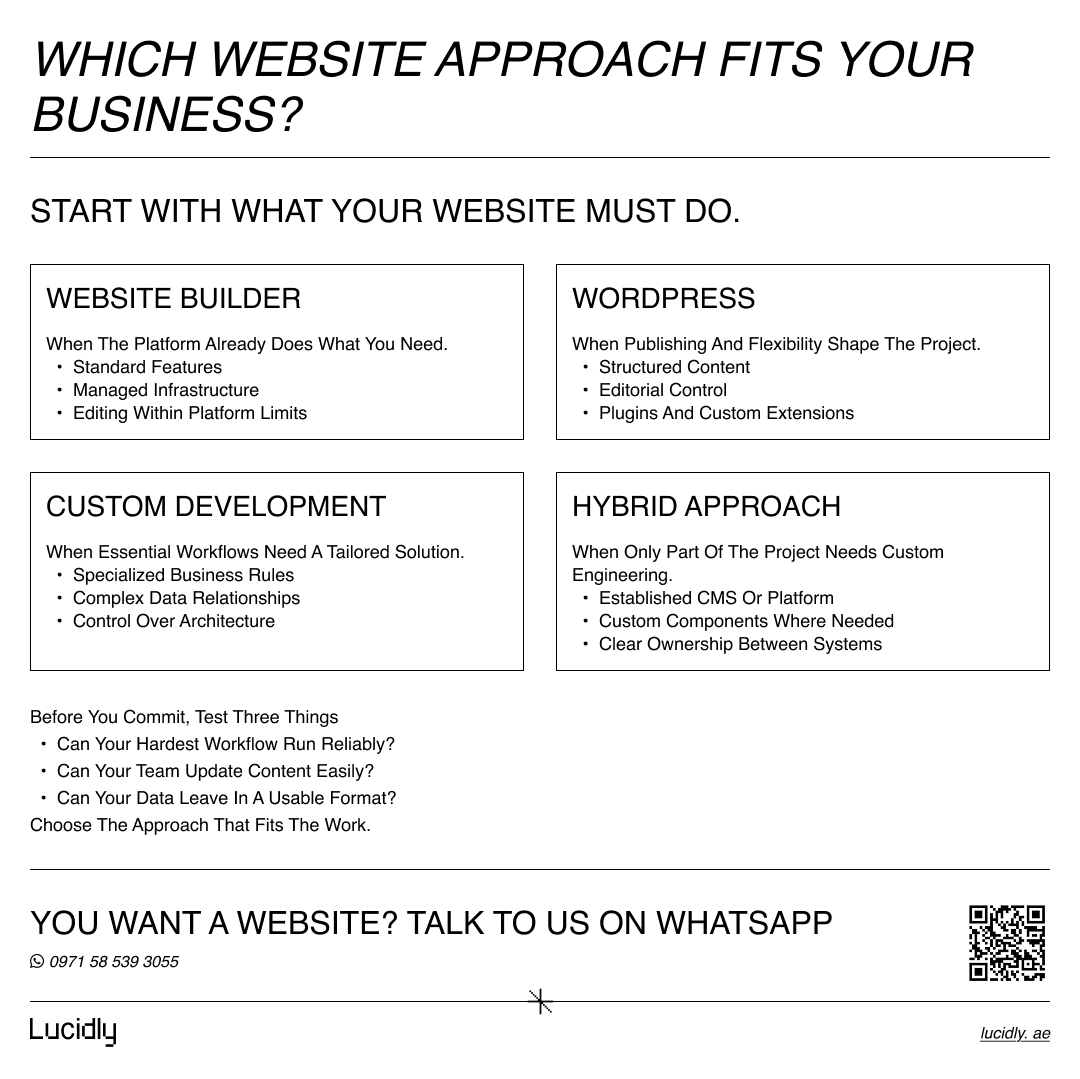
Choose a website builder for a straightforward website whose essential requirements are already supported by the platform.
Choose WordPress when content management, publishing, and extensibility are central to the project.
Choose custom development when specialized workflows, complex integrations, or application functionality shape the website.
A hybrid approach can combine an established platform with custom components when only part of the project requires specialized development.
Website Builder, WordPress, or Custom Development: Quick Decision Table
Compare the three approaches across setup, flexibility, maintenance, and ownership. Use the table to identify which trade-offs matter most for your project.
Decision Area | Website Builder | WordPress | Custom Development |
Typical fit | Websites whose requirements match platform features | Publishing and business websites needing extensibility | Specialized workflows, data structures, or application functionality |
Setup | Hosting and editing commonly bundled | Hosting, CMS configuration, and implementation choices | Architecture and implementation planned around the scope |
Customization | Within supported tools, APIs, and platform limits | Themes, plugins, APIs, and custom code | Control over the parts of the architecture being developed |
Content editing | Platform editor and available publishing controls | CMS configured for the content and team | Selected CMS or purpose-built administration interface |
Integrations | Supported connections and developer capabilities | Plugins and custom integrations | Designed around required business rules |
Maintenance | Provider manages much of the platform | Responsibilities shared across hosting, software, and implementation | Responsibilities depend on the technology and support arrangement |
Portability | Export and hosting options vary | Hosting flexibility, with possible theme or plugin dependency | Depends on documentation, licenses, infrastructure, and handover |
Initial investment | Often lower for standard requirements | Varies substantially with scope | Often higher where substantial engineering is required |
Reconsider when | Essential workflows exceed supported capabilities | Extensive modifications make the required architecture difficult to maintain | Standard functionality would meet the need with less ongoing responsibility |
These categories overlap. A WordPress website can be custom developed, and some managed builders provide substantial development capabilities. Compare the actual implementation being proposed.
What Each Approach Actually Means
Understanding the categories prevents an unfair comparison between a basic template site and a carefully engineered custom project.
What Is a Website Builder?
A website builder combines website creation and operation within a managed platform. Wix, Squarespace, and Webflow are familiar examples, although their capabilities and restrictions differ.
Visual editing and managed hosting can reduce setup work. The questions are what the selected platform and plan support, which extensions are needed, and where the business must accept the provider’s rules.
A builder can serve a professional business well. Its suitability depends on the requirements, not the size or prestige of the company.
What Is WordPress?
Here, WordPress means the open-source software available through WordPress.org, hosted with a provider you choose. Managed WordPress services can take responsibility for some operational tasks, so maintenance arrangements vary.
WordPress provides publishing tools and user roles, and developers can extend it through themes, plugins, and custom content structures. These capabilities are described in the official WordPress Features documentation.
A WordPress project may involve a standard theme, a custom design, or substantial development. The platform name alone tells you little about the quality of the proposed build.
What Is Custom Development?
Custom development means designing and implementing a solution around specific requirements. It does not mean programming every component from scratch.
A project may combine frameworks, databases, APIs, cloud services, and an established CMS. The development work connects those components and implements the behavior the business needs.
For an explanation of how those choices fit together, see the Web Development Tech Stack.
The Differences That Matter Most
The three-way comparison provides context. The following pairwise comparisons help when you have already narrowed the shortlist.
Website Builder vs WordPress
The central distinction is how the environment is managed and extended.
A builder bundles many decisions into one platform. WordPress allows more independent choices, which creates both flexibility and coordination work.
Compare the available publishing controls, hosting arrangements, extension options, and platform restrictions. A builder may already provide everything the business needs. WordPress becomes more relevant when the project benefits from choices outside that managed environment.
WordPress vs Custom Development
WordPress can form part of a custom-developed website. The useful question is whether it provides an appropriate foundation for the required content and functionality.
A custom WordPress implementation may be sufficient for a complex business website. A different architecture may be preferable when operational data and application behavior are the dominant requirements.
Do not assume that having accounts, payments, or bookings automatically rules WordPress out. Ask how the required behavior will be implemented, tested, and maintained.
Website Builder vs Custom Website
A builder offers convenience within a provider’s environment. Custom development gives the project team more architectural decisions and responsibility.
Identify the specific requirement that a builder cannot satisfy before paying to replace its standard capabilities. If that requirement is business-critical, test it early. If it is a preference with limited commercial value, reconsider whether it justifies additional engineering.
The Right Answer May Be a Hybrid Approach
An established CMS can manage articles and service pages while a custom component handles a specialized calculation or customer workflow. An ecommerce platform can manage orders while another service handles business-specific processing.
The benefit is selective customization. The cost is maintaining the connections between systems.
A hybrid proposal should explain:
Which system owns each type of data.
Where editors make changes.
How updates reach the other components.
What happens if a connection fails.
Who maintains the complete journey.
A separate front end or additional service should solve an identifiable problem. Without that benefit, it may simply create another system to support.
 Having an Integration Is Not the Same as Supporting the Workflow
A listed connector indicates a supported connection between systems. It does not confirm that the connection covers your complete business process.
Consider an illustrative UAE service company operating in Dubai and Abu Dhabi. It publishes Arabic and English pages and accepts inquiries through forms and WhatsApp.
A basic requirement might be sending every submitted form to one inbox. A more demanding requirement could include:
Identifying the selected service, location, and language.
Assigning the inquiry to the correct team.
Updating an existing customer record instead of creating a duplicate.
Recording whether delivery to the CRM succeeded.
Alerting someone when delivery fails.
The important distinction is between having an integration and supporting the required workflow.
A builder, WordPress, or a custom solution may support this process, depending on the systems and implementation. The demonstration should follow a sample inquiry from submission to its destination, including an unsuccessful delivery.
A WhatsApp button also needs careful interpretation: a click shows that someone attempted to open the conversation. It does not, by itself, confirm a qualified lead or completed booking.
When a website needs to connect several systems or support business-specific rules, Lucidly’s Development Services can help define the architecture, integration requirements, and responsibilities before implementation begins.
Lucidly’s Wellness Forward Group Case Study provides a practical UAE example. The project brought together class bookings, membership and subscription management, online payments, and scheduling and user-management integrations across multiple fitness locations. For a business with similar needs, the platform comparison should test whether these functions work together throughout the customer journey, including availability, booking, and payment.
Compare the Work After Launch
Platform selection should account for the people who will publish content, maintain connections, and approve changes once the development team has handed over the website.
Content Management and Publishing
Ask an intended editor to complete a realistic task in the proposed CMS.
For example, add a location, associate it with existing services, assign the appropriate contact details, and prepare both language versions. Check whether shared information updates consistently or requires manual edits across several pages.
This reveals more than an attractive editor demonstration. It shows whether the content structure fits how the business works.
Scalability Means More Than Traffic
The platform decision should consider what is expected to grow, not simply whether the website may become “bigger.”
Growth might mean more visitors, but it can also mean more languages, locations, editors, products, or relationships between content.
A property business, for example, may need more frequent availability updates rather than more marketing pages. A service business may need to add branches without duplicating contact information throughout the site.
Name the expected change, then ask how the proposed system handles it.
Launch Timing and Dependencies
A ready-made platform can reduce implementation work when the scope fits. However, content approval, Arabic translation, business-system access, data cleanup, and integration testing can still determine the launch date.
Ask what is included in the launch scope, what depends on third parties, and what can safely follow later. A short development estimate is incomplete if the critical dependencies remain unresolved.
Upfront Cost vs Total Cost of Ownership
Compare proposals against the same requirements and operating period. A subscription price, a template implementation, and a fully scoped custom project are different purchases.
The following cost areas help reveal what is included at launch and what the business will need to fund afterward.
Cost Area | What the Proposal Should Explain |
Initial delivery | Planning, design, configuration, development, migration, and testing |
Recurring services | Hosting, subscriptions, licenses, applications, and external services |
Maintenance | Updates, monitoring, backups, support, and integration upkeep |
Internal effort | Publishing, manual data handling, administration, and coordination |
Future changes | Adding a language, location, workflow, or integration |
Exit costs | Data extraction, rebuilding dependent features, and migration support |
For a practical comparison, request estimates for the same likely future changes from each provider. Adding a branch or changing a CRM can expose costs that are invisible in the launch quote.
An AED price range is useful only when its scope and exclusions are clear. Compare equivalent deliverables, recurring costs, and change assumptions before deciding which proposal offers better value.
Comparing platform options and project costs? Message Lucidly on WhatsApp to discuss what your website needs at launch and what it may need as your business grows.
SEO and Performance: Ask for Evidence in the Proposed Build
Platform selection affects the controls available, but the implementation determines whether those controls work correctly.
Google’s SEO Guide for Web Developers explains technical considerations that help search engines access and understand content. Use those requirements to assess the build rather than accepting a general “SEO-friendly” label.
Ask the team to demonstrate:
Important content and links that search engines can access.
Control over indexing, canonical URLs, and redirects.
Language relationships and navigation on bilingual pages.
Metadata and structured data where relevant.
Performance on representative pages containing the actual images, forms, and third-party scripts.
For an existing website, include a URL inventory and redirect plan where URLs change. Rebuilding on another platform does not remove the need to protect useful existing pages.
See SEO-Friendly Website Development for the wider implementation considerations.
Security and Maintenance Need Named Owners
A managed builder handles much of its underlying platform. WordPress and custom projects require responsibility to be assigned across hosting, software, integrations, and code. In every case, the business still needs appropriate account access and operational oversight.
The OWASP Top 10 provides an established reference for web application security risks. A platform label is not a substitute for reviewing the risks relevant to the implementation.
Before launch, clarify who:
Applies and tests updates.
Monitors critical forms and integrations.
Maintains backups and tests restoration.
Removes access when people leave.
Investigates incidents and restores service.
Also distinguish between a website being online and its essential functions working. A page can load normally while inquiries fail to reach the team.
For ongoing responsibilities, see Website Maintenance and Support in the UAE.
Ownership, Portability, and the Ability to Change Partners
Ownership has practical value when the business can access and use what it owns.
Confirm control of the domain, hosting or platform account, analytics, business data, and relevant code repositories. Clarify licenses and the documentation another qualified team would need.
Ask for a sample export before committing. Review what it contains, how relationships between records are preserved, and what would need rebuilding elsewhere.
WordPress’s Tools Export Documentation describes its content export. That should not be mistaken for a complete migration of every theme, plugin, configuration, and integration.
Custom development can also create dependency when only the original team understands deployment or maintenance. Good handover should make continued operation possible without reconstructing the project from scratch.
What UAE Businesses Should Test Before Choosing
Local requirements become useful decision criteria when they are translated into tasks the proposed website must complete. Test the journeys your customers and internal teams will actually use.
Arabic and English Publishing
Test an Arabic page with real content. Review right-to-left layouts, mixed Arabic and English text, phone numbers, forms, navigation, and mobile behavior.
Also check how language versions relate to each other and what happens when one version is ready before the other. Translation support and a workable bilingual publishing process are separate requirements.
Branches and Inquiry Routing
Choose one service offered in more than one location. Follow its English and Arabic inquiry journeys and check the destination details.
If a branch contact changes, determine whether the team updates one shared record or must find every occurrence manually. This is a practical test of the content model.
Payments and Operational Systems
If payments are required, verify support for the intended provider, merchant setup, settlement requirements, refunds, and recurring payments where applicable.
For property, booking, inventory, or customer systems, test the actual data and update process. A generic integration demonstration may not expose the restrictions of the system your business uses.
For businesses operating in Dubai, Lucidly’s Web Development Services in Dubai can help translate these publishing, payment, and integration requirements into a practical development scope.
Which Approach Fits Different Business Scenarios?
The scenarios below connect common business needs with suitable starting points. The final column highlights requirements that could change the recommendation.
Business Scenario | Likely Starting Point | What Could Change the Decision |
Straightforward company website | Builder or WordPress | Publishing structure or functionality beyond standard features |
Regular publishing with multiple editors | WordPress or another suitable CMS | Approval workflows, integrations, and editorial preferences |
Standard online store | Established commerce platform or WordPress with WooCommerce | Pricing, fulfillment, account, or checkout requirements |
Website connected to several business systems | WordPress, hybrid, or custom development | Synchronization rules and consequences of failed updates |
Customer portal | Existing portal product or custom implementation | Permissions, data sensitivity, and specialized workflows |
Multi-location bilingual website | Builder, WordPress, or custom CMS implementation | Relationships between services, branches, languages, and teams |
These are starting points for investigation. Industry and page count alone do not determine the architecture.
Signs You May Be Choosing the Wrong Approach
Repeated workarounds, difficult updates, and unclear responsibilities can signal a poor fit. Use the warning signs below to distinguish platform limitations from problems that better implementation or support could resolve.
Warning Sign | What to Investigate |
Essential functionality depends on repeated workarounds | Whether the platform supports the core process |
Routine edits always need a developer | Whether the CMS configuration and training fit the team |
Several tools maintain conflicting copies of the same data | Which system should own each record |
Nobody owns failed integrations or backups | Gaps in the support arrangement |
A simple website needs several independently deployed systems | Whether the complexity has a measurable benefit |
Performance is poor | Hosting, media, scripts, configuration, and code before assuming a platform limit |
The proposal cannot demonstrate data export | Portability and future migration requirements |
A weak implementation is not automatically evidence of the wrong platform. Before rebuilding, separate what can be repaired from what the platform genuinely cannot support.
A Seven-Question Decision Framework
Use these questions to turn the comparison into a brief that a development partner can evaluate.
What must the website accomplish? Separate publishing, lead generation, transactions, and operational processes.
What is the hardest essential requirement? Demonstrate it before approving the wider build.
Which system owns each type of data? Establish how information is created, updated, and synchronized.
What is expected to change? Identify likely growth in content, locations, languages, users, or workflows.
Who will operate the website? Match editorial and technical responsibilities to actual resources.
What will the solution cost to run and change? Compare equivalent scope, support, and future scenarios.
How can the business leave or change partners? Review exports, access, documentation, and migration dependencies.
For context on the wider delivery process, see What Is Web Development.
The result should be a short decision record: the chosen approach, the requirements it satisfies, its accepted limitations, and the assumptions still needing validation.
Frequently Asked Questions
Can We Keep Our Current Website and Add Custom Functionality?
Often, yes. A separate component or integration may address a specific requirement while preserving the existing CMS and pages. First check compatibility, authentication, data ownership, and ongoing support. This can limit disruption, but it becomes less useful if the existing platform prevents the new functionality from operating reliably.
Should We Change Platforms or Improve the Existing Implementation?
Start with a technical review of the problems. Poor performance, difficult editing, and failed integrations may come from configuration or development choices that can be corrected. Consider changing platforms when an essential requirement remains unsupported, or when maintaining workarounds creates greater cost and risk than a planned migration.
Can a Website Project Be Launched in Phases?
Yes, if the first release provides a complete, usable journey and the architecture allows later additions. Agree which features are essential, which can wait, and what future work depends on today’s decisions. Avoid postponing foundational choices, such as content relationships or data ownership, when later phases rely on them.
What Should We Request Before Signing a Development Proposal?
Request a defined scope, acceptance criteria, recurring costs, support responsibilities, and a clear handover arrangement. Any uncertain business-critical feature should be demonstrated or assigned a discovery step. The proposal should also explain how changes are priced and what happens if an integration cannot meet the documented requirement.
How Should We Compare Quotes Built on Different Platforms?
Give each provider the same content, workflows, integrations, and launch requirements. Ask them to identify exclusions, third-party costs, maintenance coverage, and likely future change costs. A lower quote may reflect a smaller scope or more internal work, so compare the complete operating arrangement as well as the initial delivery.
Choosing the Right Development Approach
Before approving a platform, ask to see three things: your hardest requirement working, your editor completing a routine update, and your data leaving the system in a usable form.
Those demonstrations make the choice more concrete. They show whether the proposed website can support the business, remain manageable, and adapt without unnecessary dependence.
If you are comparing a website builder, WordPress, and custom development, Message Lucidly on WhatsApp with your current platform, essential workflows, and expected changes to discuss the scope before committing to a build.
References