On-page SEO is what turns a good page into a page that ranks—and converts.
It’s the work you do inside the page: aligning content with search intent, writing clear title tags and meta descriptions, structuring headings so readers can scan, placing keywords naturally, and adding internal links that guide both users and Google.
When these elements work together, your page becomes easier to understand, easier to trust, and easier to choose in search results. In this article, we’ll explain how to do it step by step.
Want Lucidly to turn your pages into clear, Google-ready answers your customers trust? Message Lucidly on WhatsApp for a free website evaluation.
What Is On-Page SEO?
On-page SEO (also called on-site SEO or page-level optimization) is everything you improve on the page itself to make it easier for people to read, and easier for Google to understand and rank.
That includes your content, your HTML elements (sometimes called HTML SEO), and the way the page is structured—so the main topic is obvious at a glance.
Unlike technical SEO (site speed, crawlability, indexing, Core Web Vitals), on-page work focuses on the signals that live inside a specific URL: title tags, meta descriptions, H1 headings, supporting subheadings, keyword placement, and internal linking.
It’s also where content optimization happens: aligning the page with search intent, answering the questions users actually have, and making the page easy to scan.
Why it matters
When on-page optimization is done well, you typically see:
Higher relevance (Google understands exactly what the page is about)
Better clicks (your title and snippet match what people want)
Stronger engagement (users find answers faster and stay longer)
More conversions (clear structure + clear next step)
In the next sections, we’ll turn this into a practical workflow you can apply to any page.
Nail Search Intent (Before You Touch Meta Tags)
According to Google’s Search Central documentation, Google’s ranking systems aim to surface helpful, reliable information made for people—not pages created mainly to game rankings.
Before you start any on page optimisation, confirm one thing: what the searcher actually wants when they type the query. If your page solves a different problem—even with great writing—it will struggle to rank and convert.
Understand the four intent types
Search intent usually fits one of four types:
informational (learn).
commercial (compare).
transactional (buy).
navigational (find a specific site).
Knowing the intent helps you choose the right page format and the right depth.
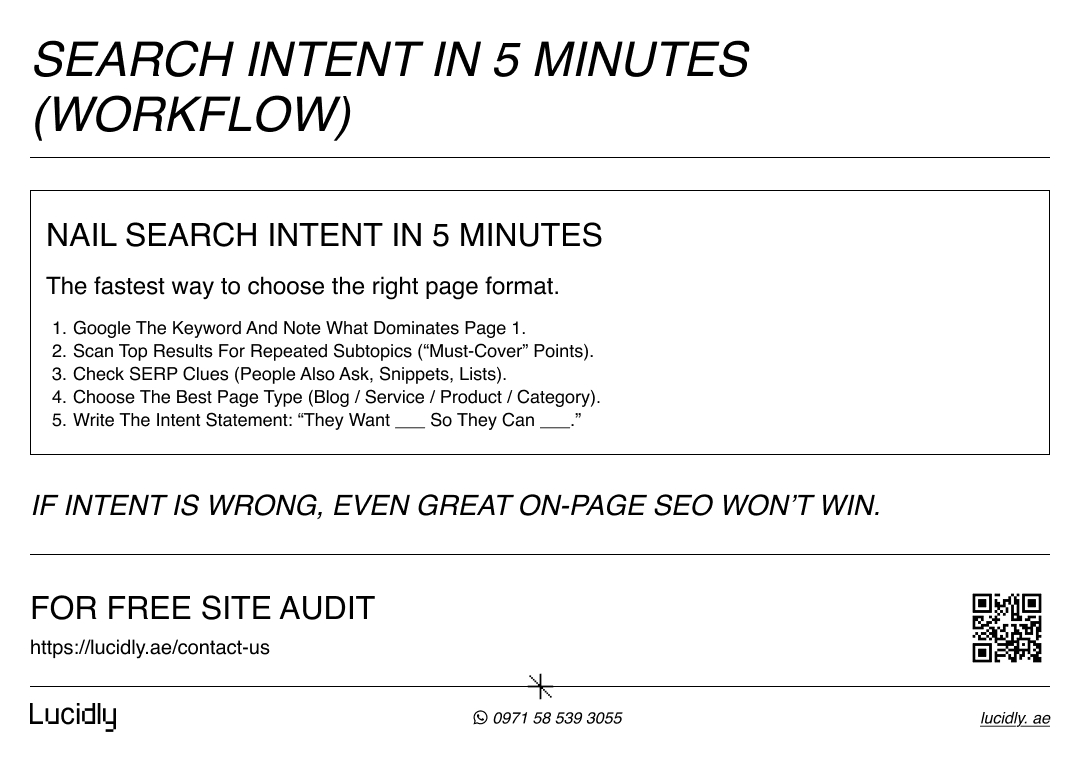
How to identify intent in minutes
A fast way to spot intent is to Google your keyword and notice what dominates page one: guides, tools, service pages, product pages, or category pages. Then scan the top results for repeated subtopics and questions—those are your “must-cover” points.
Do your Keyword Research right with our Guide, and learn How Search Engines Work to rank first.
Lock intent into one sentence
Finish by writing a simple intent statement: “The searcher wants ____ so they can ____.” This line guides content optimisation and makes it easier to optimise headings, keyword placement, and internal linking later.
Optimise Title Tags (Title Links)
Your title tag is often the first thing people notice in search results, and it strongly influences whether they click.
It also helps Google understand the main topic of the page. A strong title is clear, specific, and reflects what the user will find after they land—so you earn the right click, not just any click.
What a strong title tag includes
A good title combines the primary topic, a clear benefit, and a hint of format (guide, checklist, steps). Keep it human-first: readable, natural, and never stuffed with keywords.
Title tag best practices
Start with the topic, make the value obvious, and keep titles unique for every page. When it fits, place the primary keyword near the start, avoid generic templates repeated across the site, and ensure the title matches the content.
Add a clear differentiator
To stand out, add a differentiator that matches intent—such as “Checklist,” “Steps,” “Examples,” “2026,” or “For Beginners.” When titles are accurate and specific, trust and clicks improve, and ranking becomes easier to earn.
Write Meta Descriptions That Earn the Right Click
Meta descriptions won’t “rank” a page by themselves, but they can strongly influence click-through rate by setting the right expectation in the search results. Think of your meta description as a short promise: it should match the page, speak to intent, and make the next step feel obvious.
What a strong meta description should do
Before you write anything, decide what you want the searcher to feel after reading it: “Yes—this is exactly what I need.” To get there, your description should be specific, benefit-driven, and aligned with the page content.
Confirm the topic clearly (what the page is about).
Highlight the outcome (what the reader will gain).
Match search intent (guide vs checklist vs service).
Add a light CTA (learn, compare, download, get).
Stay natural—avoid keyword stuffing, even when you optimise meta tags.
A simple formula that works almost every time
This is the fastest way to write meta descriptions that consistently perform. Start with clarity, then add value, then add a next step.
What it is + who it’s for + what they’ll learn/get + small CTA
Example structure: “Learn how to [do X] with [benefit]. Includes [what’s inside]. Get the checklist.”
Ready-to-use examples (copy, then customise)
These examples are intentionally clean and intent-matched—use them as templates for your own pages.
Blog post (informational):
“Learn on-page SEO basics: search intent, title tags, meta descriptions, headings, keyword placement, and internal linking—plus a simple checklist you can apply today.”Service page (commercial/transactional):
“Need on-page SEO that improves rankings and conversions? We optimise titles, meta descriptions, headings, internal linking, and content—so your key pages perform better.”Product or tool page (transactional):
“Explore [Product/Tool] and see how it helps you improve on-page optimisation with faster audits, clearer titles, and better internal linking. Compare features and get started.”
Common mistakes to avoid
Most weak meta descriptions fail for the same reasons: they’re too generic, too salesy, or disconnected from the page. Fixing these usually improves relevance and clicks quickly.
Too vague → add specifics (what’s included, who it’s for, what outcome).
Mismatch with content → rewrite to reflect what the page actually covers.
Keyword stuffing → keep one main phrase; write for humans.
No reason to click → add a clear benefit or differentiator (checklist, examples, steps).
Optimise Headings for Structure and Comprehension
Headings aren’t decoration—they’re how readers scan and how search engines understand your page structure. When your headings are clear, users move faster, trust the content more, and find answers with less effort. That supports engagement, and it also makes the page easier for Google to interpret.
Start with one clear H1
Your H1 should state the main topic in plain language and align with the promise in your title tag. Keep it focused: one page, one primary topic.
Build a logical hierarchy with sections and subpoints
Think of your main sections as the big “chapters” of the page, and the subheadings as steps, examples, or supporting details. This structure helps content optimisation because it makes the page readable and makes relevance obvious.
Here are quick rules to follow:
Use one H1 per page.
Make each section title specific (avoid vague headings like “More Information”).
Write headings that reflect real questions and tasks.
Keep the flow logical: basics → steps → examples → checklist.
Make headings work with keywords—naturally
It’s fine to include your keyword when it fits, but your headings should still sound human. If you have to force phrases, don’t.
Clear headings do more for SEO than awkward keyword placement, and they set you up for stronger internal linking later (because your anchors can match meaningful section topics).
Keyword Placement Without Keyword Stuffing
In on page SEO, keyword placement is about clarity—not repetition. Your job is to make the topic obvious, then write naturally.
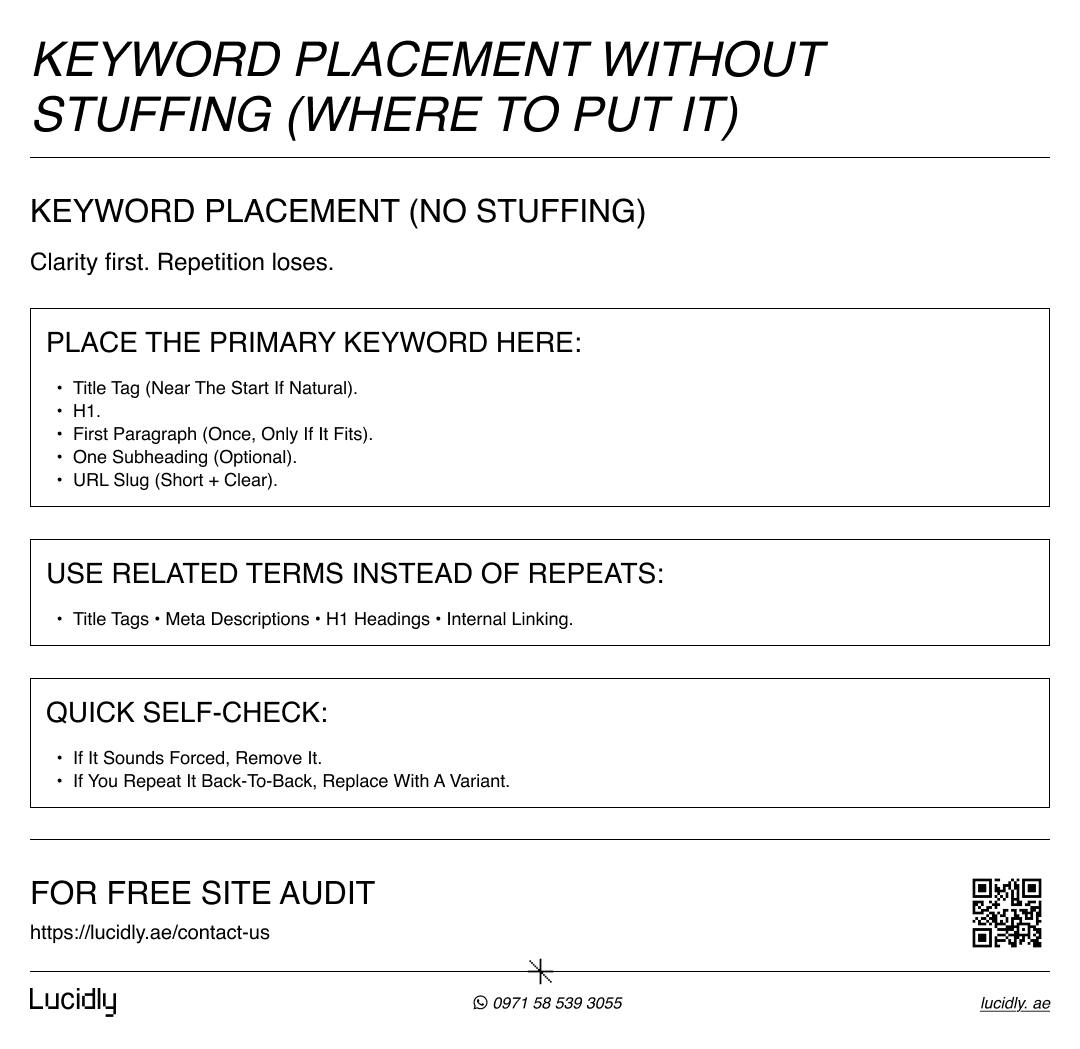
Place your primary keyword where it signals meaning
Use your main keyword in a few high-signal spots, then move on. This is enough for relevance without hurting readability.
Title tag (near the start if it fits).
H1 heading.
First paragraph (once, only if it reads naturally).
One supporting subheading (optional).
URL slug (clean and short).
Use related terms to sound natural
After the basics, stop chasing repeats. Focus on covering the topic fully using natural language and variations. This is content optimisation done right.
Use synonyms (on-site SEO, page-level optimisation).
Add related terms (title tags, meta descriptions, internal linking).
Explain with examples instead of reusing the same phrase.
Write for the reader first, then polish for SEO.
Keyword density: does it still matter?
Treat “keyword density” as an outdated control metric. If the page answers intent clearly, you’re usually fine. Use this quick self-check instead.
If a sentence sounds awkward, remove the keyword.
If headings feel forced, rewrite them as real questions.
If you repeat the same phrase back-to-back, replace one with a variant.
If it reads smoothly out loud, it’s probably optimised enough.
Internal Linking That Google Can Crawl
Internal linking helps Google discover your pages and helps users move to the next best answer. When it’s done well, it strengthens topical relevance, spreads authority across your site, and improves engagement—because readers don’t hit a dead end.
Make internal links crawlable
Before you think about strategy, get the basics right. Google needs links it can actually follow.
Use real HTML links (ahref), not text that only looks clickable.
Link to important pages from within your content (not only menus/footers).
Avoid linking to redirected or broken URLs.
Keep pages reachable in a few clicks from key hub pages.
Use descriptive anchor text
Anchor text should tell people (and Google) what they’ll get after the click. “Click here” wastes context.
Use specific anchors: “on page seo checklist”, “optimize meta tags”, “technical seo audit”.
Match the anchor to the destination page topic.
Keep it natural inside the sentence (no awkward keyword forcing).
Avoid repeating the exact same anchor everywhere.
Simple internal linking patterns that work
You don’t need a complex system. Use a few reliable patterns consistently.
Link from your pillar page to related cluster posts.
Add 2–5 contextual links inside the main body where they genuinely help.
Use “next step” links near the end (what should the reader do next?).
Link to your most important money pages when it fits the intent.
On-Page Enhancers Most Sites Forget
Most on page SEO wins don’t come from big rewrites—they come from small upgrades that make the page faster to understand, easier to trust, and easier to use. These “enhancers” often separate a good page from a page that performs consistently.
Optimise images for speed and visibility
Images can support content optimisation, but they can also slow the page down if you ignore them. Keep them lightweight and descriptive.
Use descriptive file names (not IMG_4829).
Write helpful alt text that describes the image, not just keywords.
Compress images and use modern formats when possible (like WebP).
Avoid uploading huge dimensions if the page displays them small.
Add images that clarify steps, examples, or comparisons.
Improve readability and page flow
If the page is hard to scan, users leave. Better structure improves engagement and makes your optimise headings work harder.
Keep paragraphs short (2–4 lines).
Use clear section introductions before lists.
Add a table of contents for long pages.
Use “key takeaway” callouts for important points.
Put the next step near the end (internal linking + a clear CTA).
Use schema only when it genuinely helps
Schema can improve how your page appears in search, but it only works when the content matches what you mark up. Keep it honest and relevant.
Add FAQ schema only if you truly have FAQs on the page.
Use Article schema for blog posts when appropriate.
Use Product schema for product pages with real product data.
Avoid adding markup “just because”—irrelevant schema can backfire.
On-Page SEO Techniques: Real-World Workflows
This is where on page SEO becomes practical. Instead of thinking in “tips,” use repeatable workflows you can apply to any URL.
Each one below is designed to improve relevance, readability, and conversions without overcomplicating the page.
Workflow 1: Optimize an existing blog post (refresh + lift performance)
Start by confirming the intent and checking what the current SERP rewards. Then update the page so it becomes the best answer, not just a longer one.
Re-check search intent and rewrite the intro to match it clearly.
Update title tags and optimize meta tags so the promise matches the content.
Optimize headings to make the structure skimmable (clear sections, real questions).
Add missing subtopics that appear across top-ranking results.
Improve internal linking to related posts and to the next logical step.
Add 1–3 helpful visuals or examples to increase clarity and trust.
Finish with a stronger CTA that fits the intent (subscribe, contact, download, etc.).
Workflow 2: Optimize a service page (clarity + trust + action)
Service pages win when they reduce confusion and make the next step obvious. Your goal is to explain the offer fast, prove trust, then guide action.
Make the H1 and first section explain the service in plain language.
Add a “Who this is for” section to qualify the right audience.
Use headings that mirror buyer questions (pricing, process, timelines, results).
Strengthen internal linking to proof (case studies, testimonials, portfolio, FAQs).
Use concise sections and scannable bullets to improve readability.
Place CTAs logically: top, mid-page, and end (without being pushy).
Ensure keyword placement is natural (avoid repeating “service + city” everywhere).
Workflow 3: Optimize an ecommerce category page (relevance + navigation)
Category pages often struggle because they’re thin or confusing. The fix is a small amount of helpful content plus clean structure and internal linking.
Add a short intro that explains the category and helps selection.
Use headings to organize subcategories and key filters users expect.
Add internal links to top subcategories, best sellers, and buying guides.
Create helpful blocks: “Top picks,” “How to choose,” “Size/fit guide,” or “FAQs.”
Avoid bloated copy; focus on clarity, not long paragraphs.
Keep the page fast and clean so users can browse products smoothly.
of course right Technical SEO can help you achieve a Healthy Website, to rank easily.
Want help implementing this checklist across your key pages? request support from our Professional SEO company.
FAQ:
What is on-page SEO?
On-page SEO is everything you improve on a page to help users and Google understand it—content, title tags, meta descriptions, headings, keyword placement, and internal linking.
What are the most important on-page SEO factors?
Match search intent.
Clear title tag + helpful meta description.
Skimmable headings and strong readability.
Complete, useful content.
Clean internal linking.
How do I optimise my title and meta description?
Make the title clear and specific, and ensure it matches the page. Write the meta description as a short benefit-led summary with a light CTA, without keyword stuffing.
Does keyword density still matter?
Not as a target number. Use the primary keyword naturally in key places, then write clearly using related terms and examples.
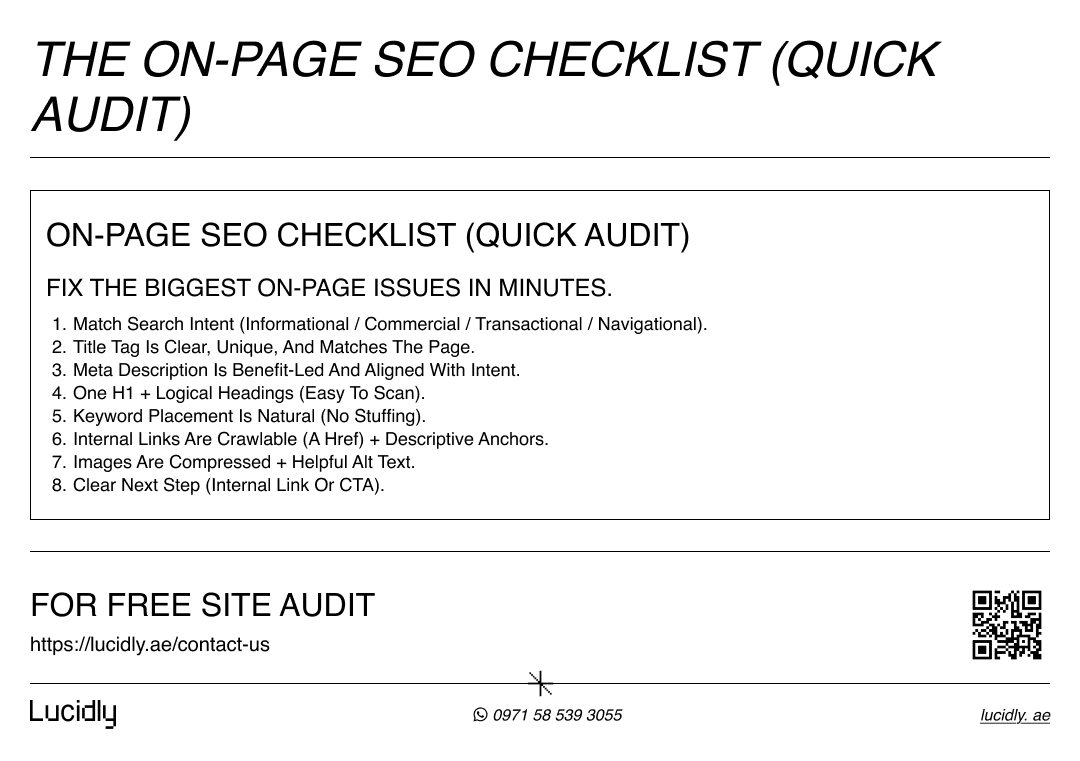
On page SEO works best when you focus on fundamentals: match intent, make your titles and meta descriptions clear, organize headings for skimming, keep keyword placement natural, and use internal linking to guide both users and Google.
When these elements work together, your pages become easier to understand, easier to trust, and easier to choose in search results.
Use the checklist to audit one URL at a time, fix the biggest blockers first, and measure improvement.
Contact us for a website evaluation—message Lucidly on WhatsApp and we’ll pinpoint the on-page issues holding your pages back.
References
Google Search Central — Creating Helpful, Reliable, People-First Content: https://developers.google.com/search/docs/fundamentals/creating-helpful-content
Google Search Central (Google for Developers). (Google for Developers)
Bing Webmaster Guidelines — Bing Webmaster Guidelines: https://www.bing.com/webmasters/help/webmaster-guidelines-30fba23a Bing Webmaster Tools (Microsoft). (bing.com)
MDN Web Docs — <a>: The Anchor element (links + destination text): https://developer.mozilla.org/en-US/docs/Web/HTML/Reference/Elements/a MDN Web Docs (Mozilla). (MDN Web Docs)