Technical SEO is the behind-the-scenes work that helps your service website get crawled, indexed, and trusted—so your best pages can rank and convert.
It covers website architecture SEO, XML sitemaps, robots.txt rules, HTTPS security, and speed improvements tied to Core Web Vitals on mobile.
Use this technical SEO checklist to spot issues, run a quick SEO technical audit, and apply technical SEO best practices that keep your site healthy as you grow without touching your content or ads budget today.
What Is Technical SEO? (And what it’s not)
Technical SEO is the work that improves your website’s underlying infrastructure so search engines can crawl, render, index, and serve your pages reliably.
It’s often described as backend SEO because it focuses on how the site functions behind the scenes—so your service pages can be discovered, understood, and trusted.
In practice, technical SEO covers:
Website architecture SEO: how pages are organized and connected.
Indexation controls: canonicals and noindex where needed.
Crawl guidance: robots.txt rules that manage crawling.
Discovery signals: an XML sitemap that helps search engines find key URLs.
Performance and reliability: site speed SEO, Core Web Vitals, and mobile usability.
Security and routing: HTTPS, clean redirects, and fixing errors that block access or waste crawl budget.
Technical SEO is not writing better copy, adding more keywords, or rewriting headings. Those are on-page tasks.
Technical work ensures the “plumbing” is solid—so your content can compete without technical friction holding it back.
For service businesses, this is directly tied to leads. If Google can’t access or index your key service pages—or if they load slowly on mobile—you lose visibility at the exact moment someone is ready to contact you.
That’s why site health optimisation is a foundation, not a nice-to-have.
In simple terms, technical SEO makes sure your site is:
Crawlable (Google can access it).
Indexable (Google can include it).
Fast and stable on mobile (users don’t bounce).
Secure (HTTPS + clean redirects).
Well-structured (clear website architecture).
Google’s Search Central guidance is clear: Google’s ranking systems are built to surface helpful, reliable, people-first information—not pages created mainly to manipulate rankings.
learn more with our guide: How Search Engines Work: Crawling, Indexing, and Ranking Explained.
The 3 Pillars of Technical SEO (Crawlability, Indexability, Renderability)
Technical SEO becomes much simpler when you group it into three goals:
crawlability (can Google access your site?), indexability (should Google include these pages in results?), and renderability (can Google and users fully load and understand the page experience?).
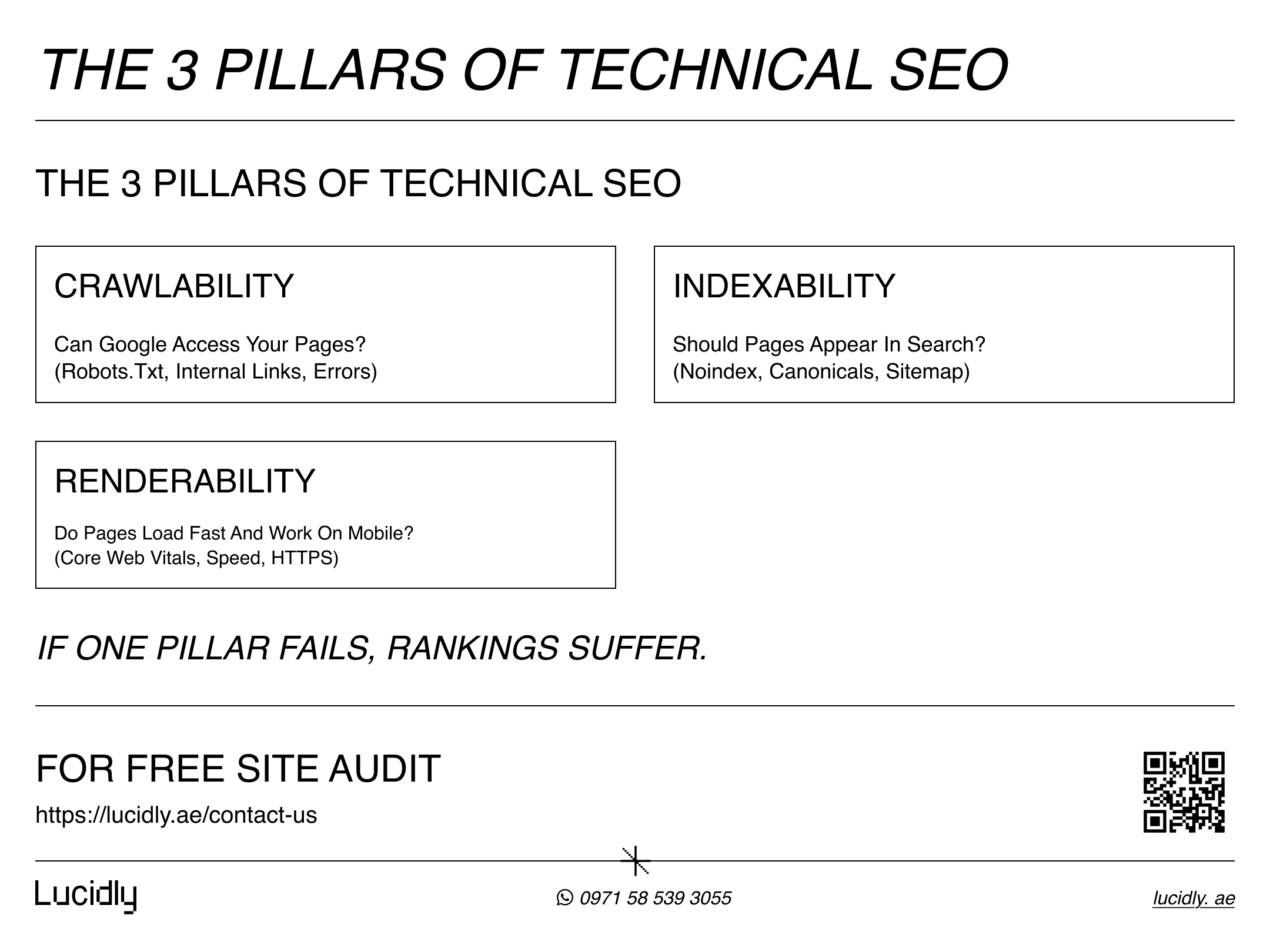
If you get these three right, most technical problems either disappear—or become easy to diagnose in a structured seo technical audit.
Crawlability — Can Googlebot access your site?
Crawlability is about removing barriers between search engines and your URLs. If Googlebot can’t fetch a page, it can’t evaluate it properly.
The usual blockers are misconfigured robots.txt rules, broken internal links, redirect chains, server errors (5xx), and inconsistent URL versions (http vs https, www vs non-www).
For service sites, crawlability matters most for high-intent pages: your core service pages, location pages, and lead-capture pages.
Indexability — Should these pages appear in search?
Indexability is about control. Not every URL deserves to be indexed—especially on service websites that generate duplicates (filter pages, parameter URLs, staging pages, or thin variations).
Technical SEO best practices here include using noindex where appropriate, keeping canonicals consistent, returning the right status codes (200 for live pages, 301 for permanent moves, 404/410 for removed URLs), and making sure your XML sitemap contains only indexable, canonical URLs.
When indexability is clean, Google spends attention on the pages that actually drive enquiries.
Renderability — Can the full page experience load and be understood?
Renderability connects technical SEO with real user experience. Even if a page is crawlable and indexable, it can still underperform if it loads slowly, shifts around, or breaks on mobile.
This is where site speed SEO, Core Web Vitals, mobile usability, and clean HTTPS delivery matter.
The goal is a stable, fast experience—especially on phones—so users can read, trust, and contact you without friction.
Website Architecture SEO (Keep your service pages easy to crawl)
Website architecture SEO is the technical structure of your site: how pages connect, how deep they sit, and whether Google can reach key service pages quickly.
For a service business, the goal is simple: make your core services (and contact/booking pages) easy to discover, easy to crawl, and hard to miss.
Focus on three technical wins:
Reduce click depth: Keep core service pages within 2–3 clicks from the homepage.
Avoid “orphan pages” (pages with no internal links pointing to them), because they’re harder to crawl and rarely perform well.Build clean crawl paths: Use a clear Services hub that links to every main service page.
Add contextual links from relevant pages (FAQs, case studies, guides) back to the service page users actually want.Prevent duplicate URLs: Enforce one consistent URL version (HTTPS, www or non-www, trailing slash rules).
Use canonicals where needed, and don’t let tracking parameters create indexable duplicates.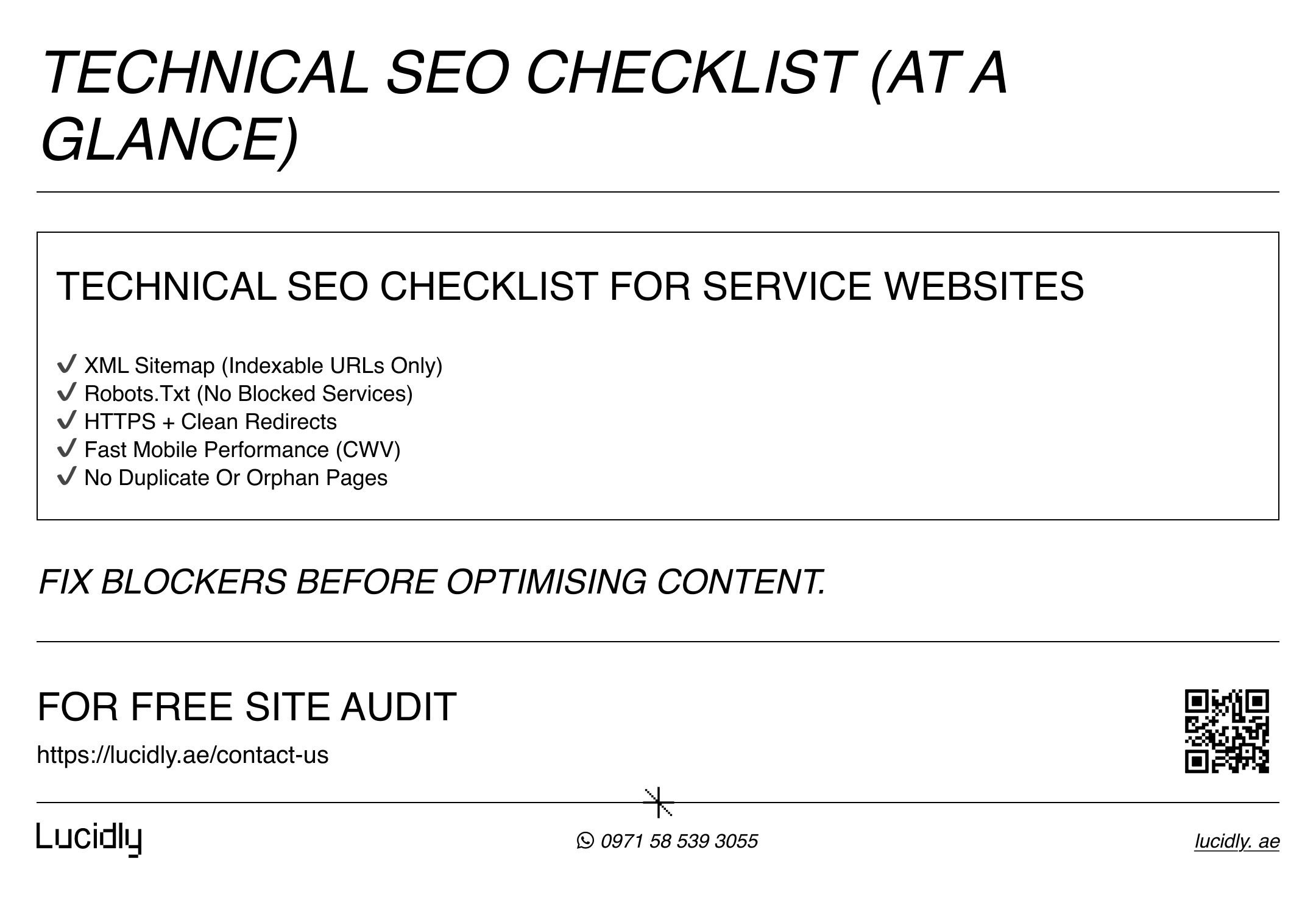
XML Sitemap (Discovery that you control)
An XML sitemap is a file that lists the URLs you want search engines to discover and prioritize.
For service websites, it’s a practical way to make sure Google finds your core service pages, location pages (only if real), and key conversion pages—especially after you publish new pages or restructure the site.
What your sitemap should include:
Only canonical, indexable URLs (pages you actually want in Google).
Core services, verified locations, and key trust pages (about, reviews if relevant).
What it should NOT include:
Noindex pages, redirects (3xx), error pages (4xx/5xx).
Duplicate URL versions or parameter-heavy tracking URLs.
Thin or placeholder pages.
Best practice workflow:
Generate the sitemap automatically (most CMS/plugins do this).
Validate it (quick check: does it load, and are URLs correct?).
Submit it in Google Search Console.
Update it whenever you add/remove major pages.
Common mistakes that hurt indexing:
Sitemap full of non-indexable URLs (wastes signals).
Mixing canonical and non-canonical versions.
Forgetting to update after migrations or structure changes.
Bonus (2026): llms.txt for AI Discovery (Optional)
llms.txt is a proposed, optional file that provides AI systems with a curated list of your most important pages in a clean, easy-to-read format.
It can support AI-driven discovery and help reduce confusion about your services, but it is not a Google ranking factor, and there is no official evidence that Google uses llms.txt for rankings or AI Overviews.
If you choose to add it, keep it minimal and focused on core service pages, contact or booking pages, and key trust content—treating it as a future-ready addition rather than a replacement for technical SEO fundamentals.
Site Speed SEO & Core Web Vitals (Performance that affects UX)
Site speed SEO is not just about “loading fast.” It’s about delivering a page experience that feels instant, stable, and responsive—especially on mobile, where most service leads happen.
Google’s Core Web Vitals help quantify this experience using real-world performance signals, so you can fix what actually impacts users.
What Core Web Vitals measure (in plain English)
Core Web Vitals focus on three types of experience:
LCP (Largest Contentful Paint): how quickly the main content becomes visible.
INP (Interaction to Next Paint): how responsive the page feels when a user taps, clicks, or types.
CLS (Cumulative Layout Shift): how stable the layout is (avoids “jumping” buttons and text).
If these are poor, users hesitate, bounce, or don’t trust the site—so rankings and conversions suffer.
The biggest speed killers on service websites
Most service sites struggle with a few repeat offenders:
Heavy images (no compression, wrong formats, oversized dimensions).
Too many scripts (chat widgets, trackers, tag managers, unused JS).
Slow hosting or no caching.
Bloated themes/builders and excessive plugins.
Web fonts that block rendering.
Large hero sections with video or sliders.
Quick wins (high impact, low effort)
Start with changes that usually move the needle without a full rebuild:
Convert images to modern formats (WebP/AVIF) and lazy-load below the fold.
Remove or delay non-essential scripts (especially third-party).
Enable caching + compression at the server/CDN level.
Reduce heavy page builders where possible.
Use fewer font weights and preload critical fonts.
Keep above-the-fold layout simple and stable (avoid late-loading banners).
How to measure and monitor (without overcomplicating it)
Use a simple loop:
Test key pages (homepage + top services + contact) in PageSpeed Insights
Check real-user metrics in Search Console’s Core Web Vitals report
Fix the biggest bottleneck first (one change at a time)
Re-test and document improvements as part of your seo technical audit
Mobile-Friendly Website (Non-negotiable)
A mobile-friendly website is no longer a “nice extra”—it’s the default way most people experience service businesses. If your pages are hard to use on a phone, visitors don’t just leave; they often don’t come back. From a technical SEO perspective, mobile readiness is a mix of usability (can people read and navigate?) and performance (does it load smoothly on real devices?).
Mobile usability issues that silently kill conversions
These problems look small, but they directly reduce enquiries:
Text too small to read without zooming.
Buttons and links too close together (mis-taps).
Popups or banners that block the main content.
Layouts that break on smaller screens.
Forms that are hard to complete on a phone.
For service sites, the biggest mobile KPI is simple: can a user find the service, build trust, and contact you within seconds?
Mobile performance ties back to Core Web Vitals
Many mobile “SEO” issues are really performance issues:
Slow LCP on mobile (heavy hero images, late-loading elements).
High CLS (elements jumping as fonts, banners, or images load).
Poor INP (too much JavaScript delaying interactions).
If you fix speed and stability, mobile friendliness improves automatically—so this section should be reviewed together with site speed SEO and Core Web Vitals.
Practical technical checks for service websites
Keep it simple and repeatable:
Test your top service pages on a real phone (not just desktop).
Make sure the main CTA (Call / WhatsApp / Contact form) is visible and tappable.
Keep nav short: Services, About, Contact (avoid mega-menus).
Use responsive images and avoid heavy sliders.
Check forms: autofill, field spacing, and error messages.
HTTPS + Technical Trust (Security basics
HTTPS is the security foundation of a healthy website. It encrypts the connection between the user and your site, protects form submissions, and prevents “not secure” warnings that destroy trust—especially for service businesses where the goal is a call, a WhatsApp message, or a booking.
Make HTTPS the single source of truth
Your technical goal is simple: every URL should resolve to one secure version of the page.
Force HTTP → HTTPS with a 301 redirect
Choose www or non-www (pick one) and redirect the other to it.
Keep your canonical tags consistent with your preferred HTTPS version.
If you allow multiple versions to stay accessible, you create duplicates and dilute signals.
Fix “mixed content” (the silent trust killer)
Mixed content happens when a page loads on HTTPS but pulls assets (images, scripts, fonts) from HTTP. Browsers may block them or show warnings.
Update internal asset URLs to HTTPS.
Replace old third-party scripts that only support HTTP.
Re-check after theme/plugin updates (it often returns).
Clean redirects (avoid chains and loops)
Redirects are normal, but messy redirects waste crawl attention and slow down users.
Best practices:
Use one-step 301 redirects (avoid chains like A → B → C).
Avoid redirect loops (A → B → A).
Update internal links to point directly to the final URL (not the redirected one).
After migrations or URL changes, audit the top service pages first.
Handle errors that block trust and crawling
Security is part of reliability. If your site frequently throws errors, it’s harder to crawl and harder to trust.
Prioritize fixing:
5xx server errors (availability problems).
Broken SSL certificates or renewal issues.
Incorrect redirects to non-existent pages (soft 404 patterns).
Technical SEO Checklist (Fast triage + full checklist)
A technical SEO checklist is only useful if it helps you make decisions fast. For service websites, the priority is simple: keep your core service pages discoverable, indexable, fast on mobile, and secure—so they can rank and generate enquiries consistently. Use the quick triage first, then move into the deeper checklist as part of ongoing site health optimisation.
15-minute triage (start here)
Open your homepage, top 3 service pages, and your contact/booking page. Then check:
Crawl + access
Can you load each page without errors or suspicious redirects?
Do important pages return 200 (not 3xx/4xx/5xx)?
Are there obvious redirect chains (URL → URL → URL)?
Indexability
Are key pages accidentally set to noindex?
Do canonicals point to the correct, preferred URL (HTTPS, correct domain version)?
Is your sitemap listing the pages you actually want indexed?
Performance
Do pages feel fast on a phone (not just on desktop Wi-Fi)?
Any obvious layout jumping (CLS) or delayed interaction (INP)?
Trust
Is HTTPS enforced everywhere?
Any browser “Not secure” or mixed content warnings?
If any answer looks wrong, don’t keep “optimising.” Fix the blockers first—technical friction can cancel out great content.
Full technical SEO checklist (by category)
Crawlability (Google can reach what matters)
robots.txt doesn’t block service/location/contact URLs.
No critical orphan pages (service pages have internal links).
Broken internal links repaired (especially nav + footer links).
Redirect chains removed; internal links updated to final URLs.
Server errors (5xx) resolved; uptime stable.
Indexability (Google includes the right pages)
Key pages are indexable (no accidental noindex).
Canonicals are consistent and point to preferred URLs.
Correct status codes used (200, 301, 404/410 where appropriate).
XML sitemap includes only canonical + indexable pages.
Thin duplicates (parameter pages, internal search, staging) are noindexed or blocked appropriately
Website architecture SEO (structure supports ranking pages)
Services hub links to all main services with clear anchors.
Core services reachable in 2–3 clicks from homepage.
Logical internal linking: blog/FAQ/case studies → relevant service pages.
Location pages exist only where service is real (avoid near-duplicate spammy patterns).
Site speed SEO + Core Web Vitals (mobile-first reality)
Images compressed; modern formats (WebP/AVIF) used where possible
Heavy third-party scripts reduced, delayed, or removed.
Caching enabled; compression and minification configured.
Fonts optimised (fewer weights; preload critical fonts).
Core pages tested regularly: homepage + top services + contact.
Mobile-friendly website (usability + conversion)
Readable text, tappable buttons, clean spacing.
CTAs visible and easy on mobile (Call/WhatsApp/Form).
No intrusive popups blocking content.
Forms are easy to complete (autofill, minimal fields, clear errors).
HTTPS + reliability (technical trust)
HTTP → HTTPS enforced with 301s.
One domain version (www or non-www) enforced.
No mixed content warnings.
Redirects clean (no loops/chains).
SSL certificate valid and auto-renewing.
Monitoring (keep it healthy as you grow)
Track Search Console for indexing spikes, crawl issues, and CWV changes.
Recheck after redesigns, plugin/theme updates, or migrations.
Schedule routine audits (see below).
SEO Technical Audit (A repeatable process)
A seo technical audit is a structured way to find what’s stopping your site from being crawled, indexed, and trusted—then turning those findings into an action plan. The biggest mistake is auditing everything equally.
Service websites should audit what impacts leads first: your core service pages, location pages (if you use them), and conversion pages.
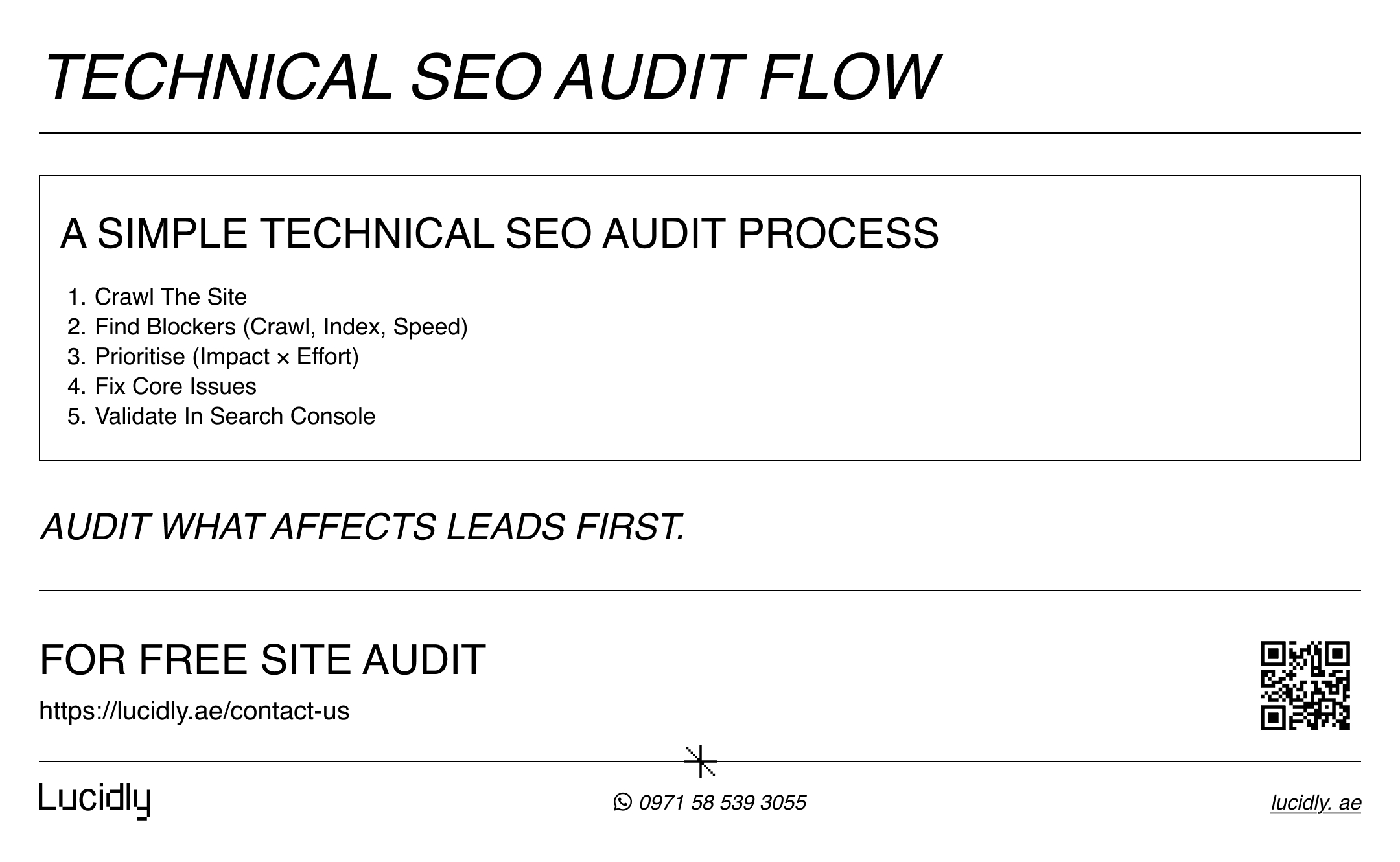
The audit workflow (simple and repeatable)
Crawl your site (use a crawler tool or a lightweight scan).
Diagnose issues by category: crawl, index, architecture, speed, mobile, security.
Prioritise fixes using a simple model: Impact × Effort.
Fix the highest-impact blockers first.
Validate changes (re-crawl + check Search Console).
Monitor results and repeat on a schedule.
What to audit first on a service website
Start with pages that create revenue:
Top service pages (the ones you actually sell).
Contact/booking page (conversion point).
Key location pages (only if they represent real service areas).
Trust pages that support conversion (about, testimonials/case studies).
Then look for:
Indexing problems (noindex, canonical errors, thin duplicates).
Crawl waste (endless parameter URLs, broken link structures).
Mobile performance issues (CWV failures on key pages).
Redirect and HTTPS issues that erode trust.
How to document findings so fixes actually happen
A good audit report is actionable. For each issue, capture:
Issue: what’s wrong (example: “service pages blocked by robots.txt”).
Impact: what it affects (indexing, rankings, conversions).
Evidence: where it shows up (URLs, screenshots, tool output).
Fix: exact recommendation (what to change).
Owner: who implements (marketing, dev, IT).
Priority: High/Medium/Low.
Status: To do / In progress / Done.
This turns “backend SEO” into a delivery plan, not a document that gets ignored.
After fixes, validate properly
Re-test the same key pages (homepage + top services + contact).
Re-submit updated sitemap if structure changed.
Watch Search Console for indexing recovery and CWV improvements.
Re-crawl to confirm redirects, canonicals, and status codes are clean.
Do I Need a Developer for Technical SEO?
Not always—but sometimes, yes. Many technical improvements are configuration-level and can be done by a marketer or site owner. Others require code or server access.
What you can often do without a developer:
Review Search Console for indexing errors and CWV reports.
Submit and clean up your XML sitemap.
Check robots.txt for accidental blocks.
Fix obvious redirect issues via CMS settings/plugins.
Compress images, reduce heavy scripts, and remove unused plugins.
Improve mobile UX (spacing, CTA placement, form simplification).
When you typically need a developer
Server-level caching/CDN configuration and deeper performance work
Complex redirect mapping (migrations, URL changes at scale).
JavaScript rendering issues or advanced front-end optimisation.
Fixing persistent 5xx errors, hosting instability, or security hardening.
Large sites with architecture changes (taxonomy, internal linking automation).
A practical rule: if the fix changes infrastructure (server, rendering, routing), involve a developer. If it’s configuration, content placement, or tooling, you can often handle it.
request on-page support from our Professional SEO company in Dubai.
How Often Should You Run a Technical SEO Audit?
The right schedule depends on how often your site changes.
Small service websites: every 3 months, plus after major updates (new theme, new pages, redesign)
Growing sites (new pages monthly): every 4–6 weeks
High-change sites or multiple locations: monthly audits + weekly Search Console checks
After migrations/redesigns: audit before, during, and after launch (three checkpoints)
Technical SEO isn’t “one and done.” It’s maintenance that prevents silent losses.
Common Technical SEO Mistakes That Hold Service Sites Back
These are the patterns that quietly destroy visibility:
Blocking important pages in robots.txt by mistake.
Leaving staging sites publicly accessible (or indexable).
Sitemap full of non-indexable URLs (noindex, redirects, errors).
Multiple URL versions live (HTTP + HTTPS, www + non-www).
Redirect chains and loops across service pages.
Thin, near-duplicate location pages that dilute quality.
Heavy third-party scripts slowing down mobile performance.
Ignoring Core Web Vitals until rankings drop.
Orphan service pages (no internal links pointing to them).
Canonicals pointing to the wrong version (or inconsistent across templates).
Fixing these often produces faster wins than “adding more content.”
FAQ
What is technical SEO?
Technical SEO is improving the behind-the-scenes setup of a website so search engines can crawl, render, and index pages reliably.
It includes site structure, sitemaps, robots rules, HTTPS, speed, Core Web Vitals, and fixing errors that block access or waste crawl effort.
How is technical SEO different from on-page SEO?
Technical SEO focuses on infrastructure: crawlability, indexability, performance, security, and how pages are discovered and served. On-page SEO focuses on the page content itself: titles, headings, copy, keyword targeting, and internal linking from a content perspective.
Do I need a developer for technical SEO?
Not always. Many fixes are configuration-level (sitemaps, robots checks, basic redirects, image compression).
You typically need a developer for server performance work, complex redirects/migrations, JavaScript rendering issues, and persistent hosting or security problems.
How often should I run a technical SEO audit?
For most service sites, a full audit every 3 months is enough, plus checks after major changes. If you publish or update pages frequently, run an audit every 4–6 weeks and monitor Search Console weekly for indexing and Core Web Vitals changes.
Technical SEO is the foundation that lets your content and service pages perform.
If you focus on the three pillars—crawlability, indexability, renderability—then support them with clean architecture, a correct sitemap, safe robots.txt rules, fast mobile performance, and HTTPS trust, your site stays healthy as it grows.
Contact us for a website evaluation—message Lucidly on WhatsApp and we’ll pinpoint the on-page issues holding your pages back.
References
Google Search Central — Creating Helpful, Reliable, People-First Content: https://developers.google.com/search/docs/fundamentals/creating-helpful-content
Google Search Central (Google for Developers). (developers.google.com)Bing Webmaster Guidelines — Webmaster Guidelines: https://www.bing.com/webmasters/help/webmasters-guidelines-30fba23a
Bing Webmaster Tools (Microsoft). (bing.com)Sitemaps.org — Sitemap Protocol: https://www.sitemaps.org/protocol.html
Sitemaps.org (Sitemaps protocol). (sitemaps.org)web.dev — Learn Core Web Vitals: https://web.dev/explore/learn-core-web-vitals
web.dev (Chrome/Google Developers). (web.dev)MDN Web Docs — HTTP response status codes: https://developer.mozilla.org/en-US/docs/Web/HTTP/Reference/Status
MDN Web Docs (Mozilla). (developer.mozilla.org)